Add "Follow for Discount" App Block to your Shopify Store
Setting up Follow for Discount App Block on your Shopify store is simple and only takes a few steps. This setup ensures your customers get automatic discount codes via Instagram DMs, turning casual followers into recurring customers.
Each section includes step-by-step instructions and screenshots to guide you through the process.
IMPORTANT NOTE: App Status must already be Live, in order to add Follow for Discount App Block to your Shopify store.
Open Theme Editor
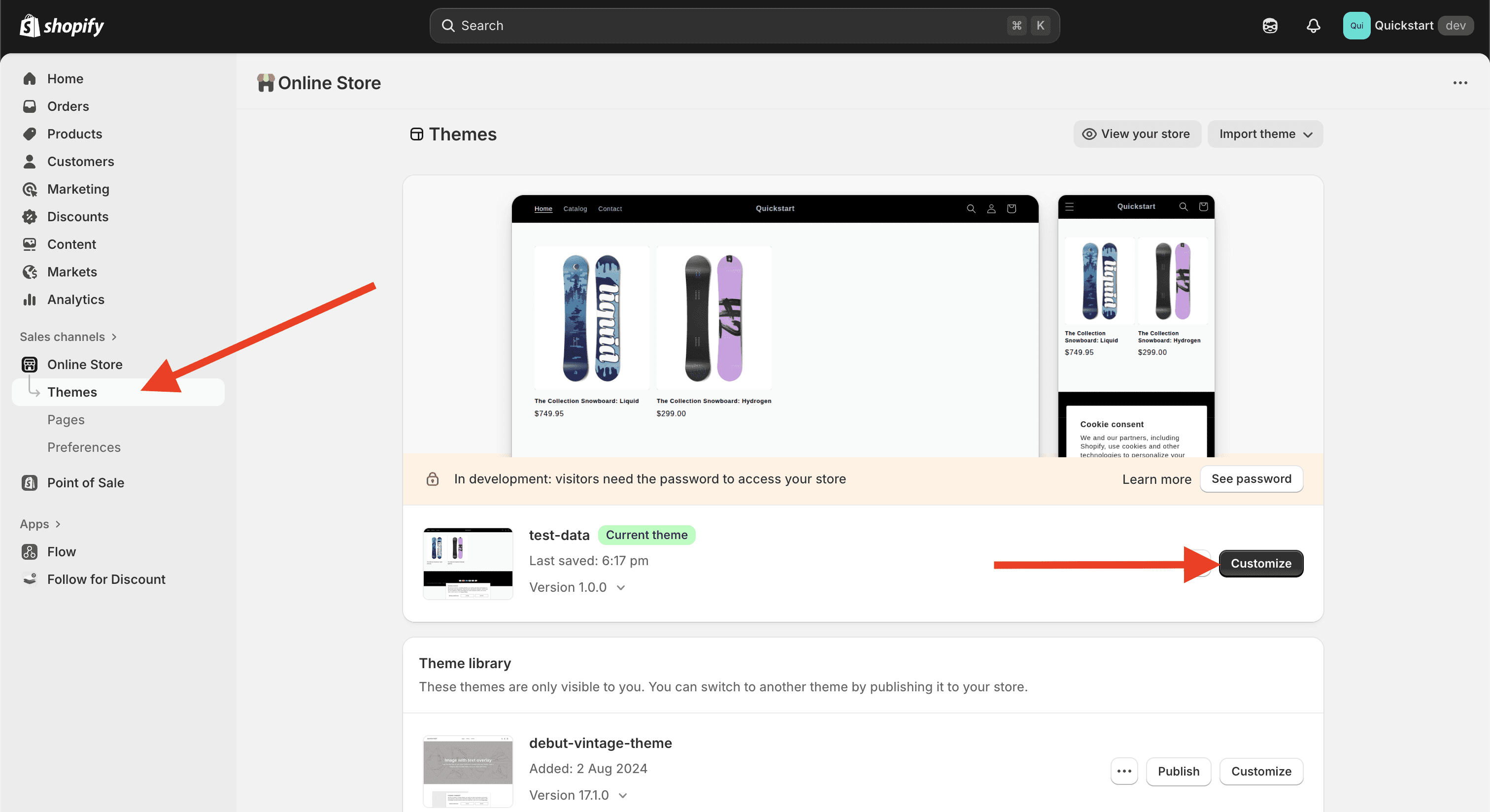
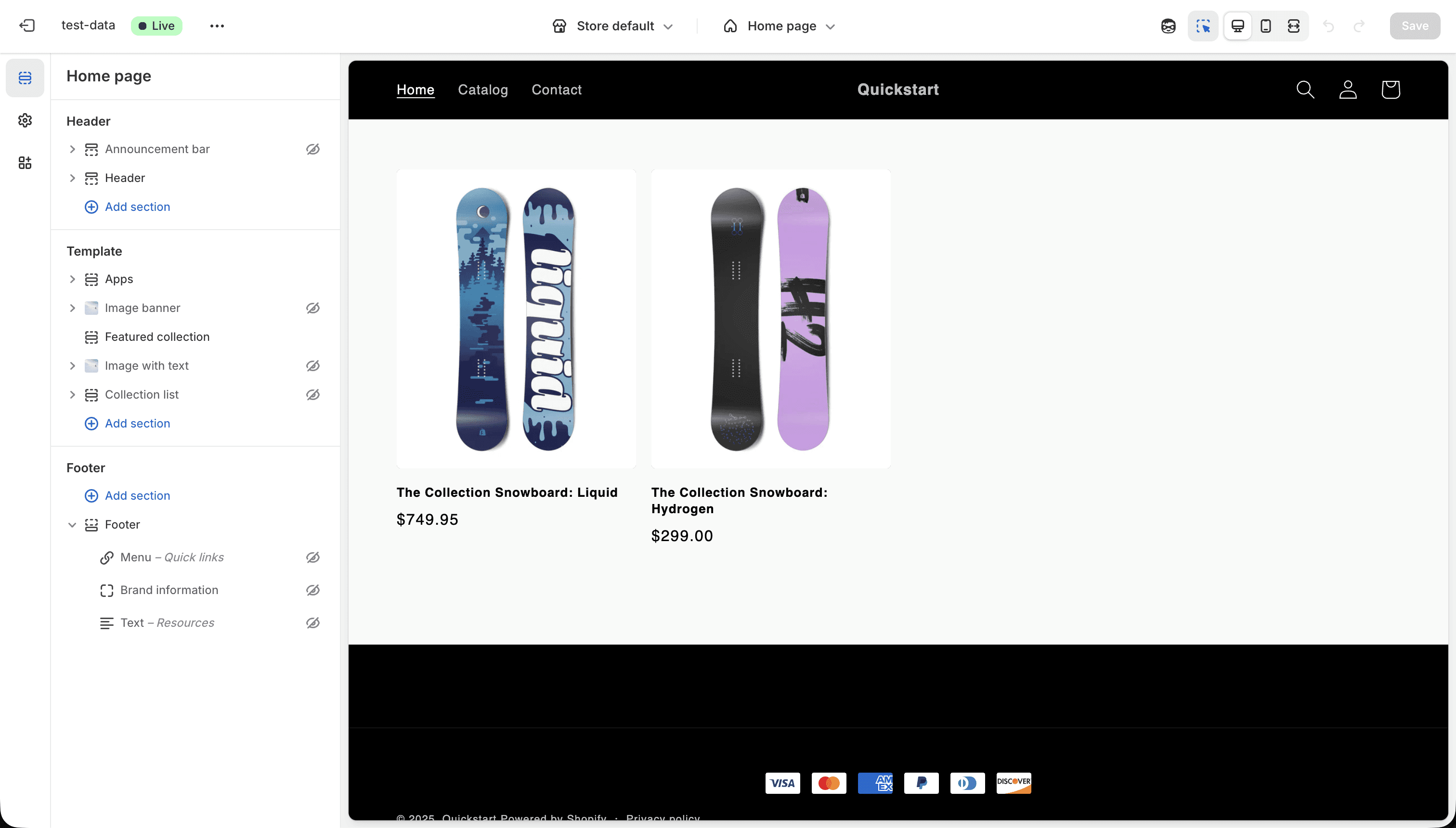
Once you've Connected Instagram, and changed App Status to Live. Go to Online Store > Themes > Customize.
Add Follow for Discount App Block
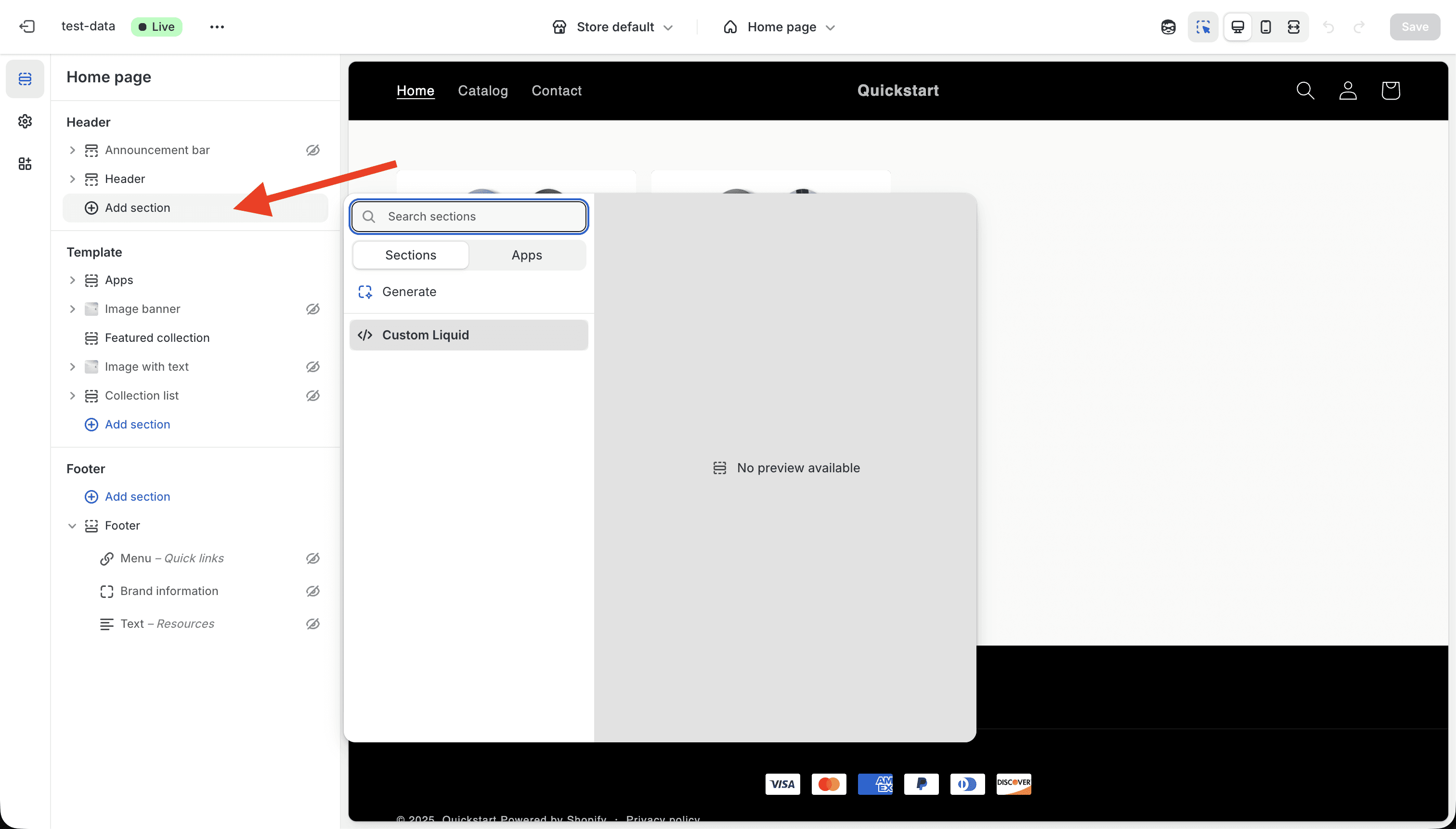
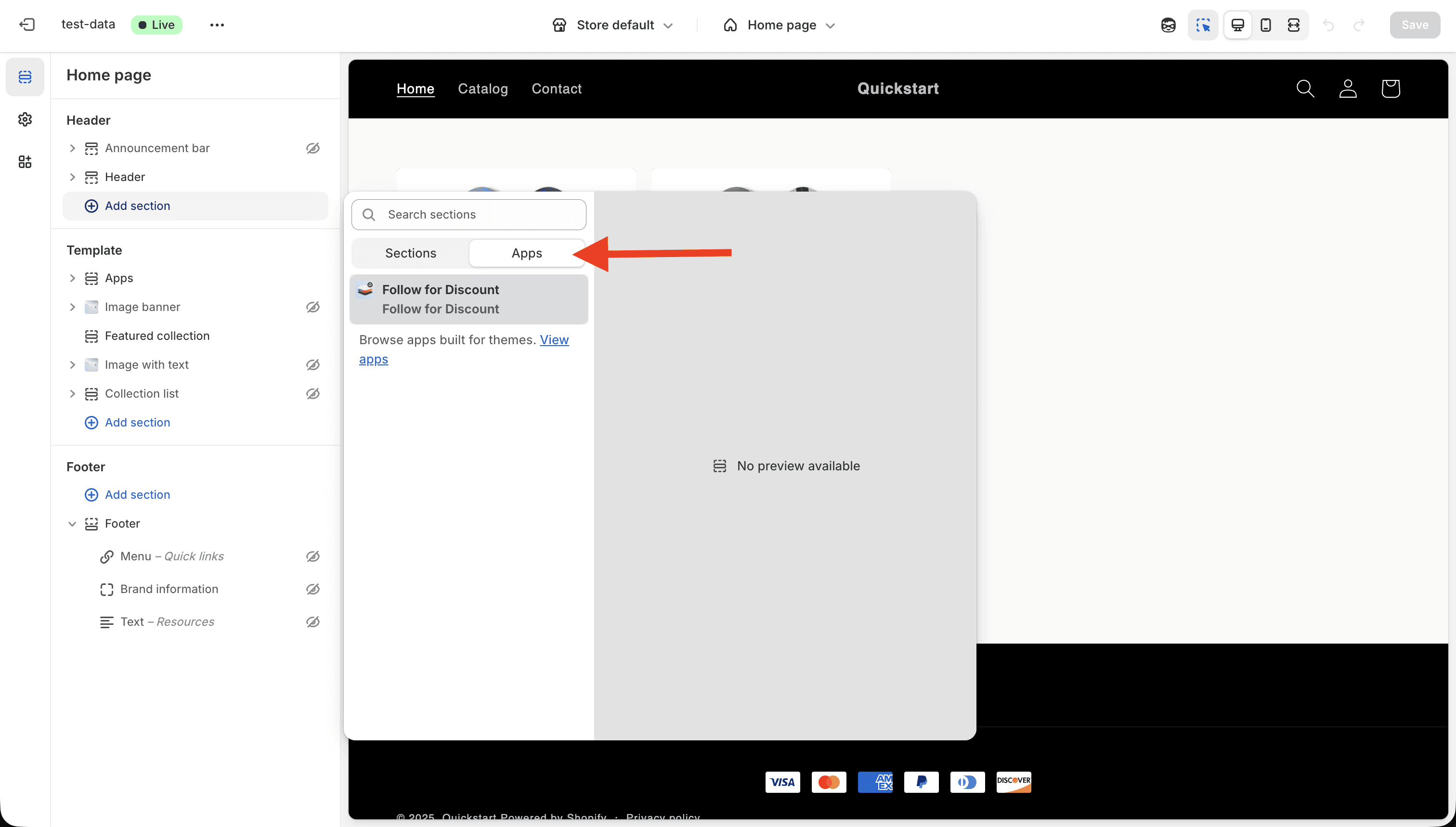
To add Follow for Discount App Block, Click on Add section. Then from Sections popup go to Apps, and click on Follow for Discount.
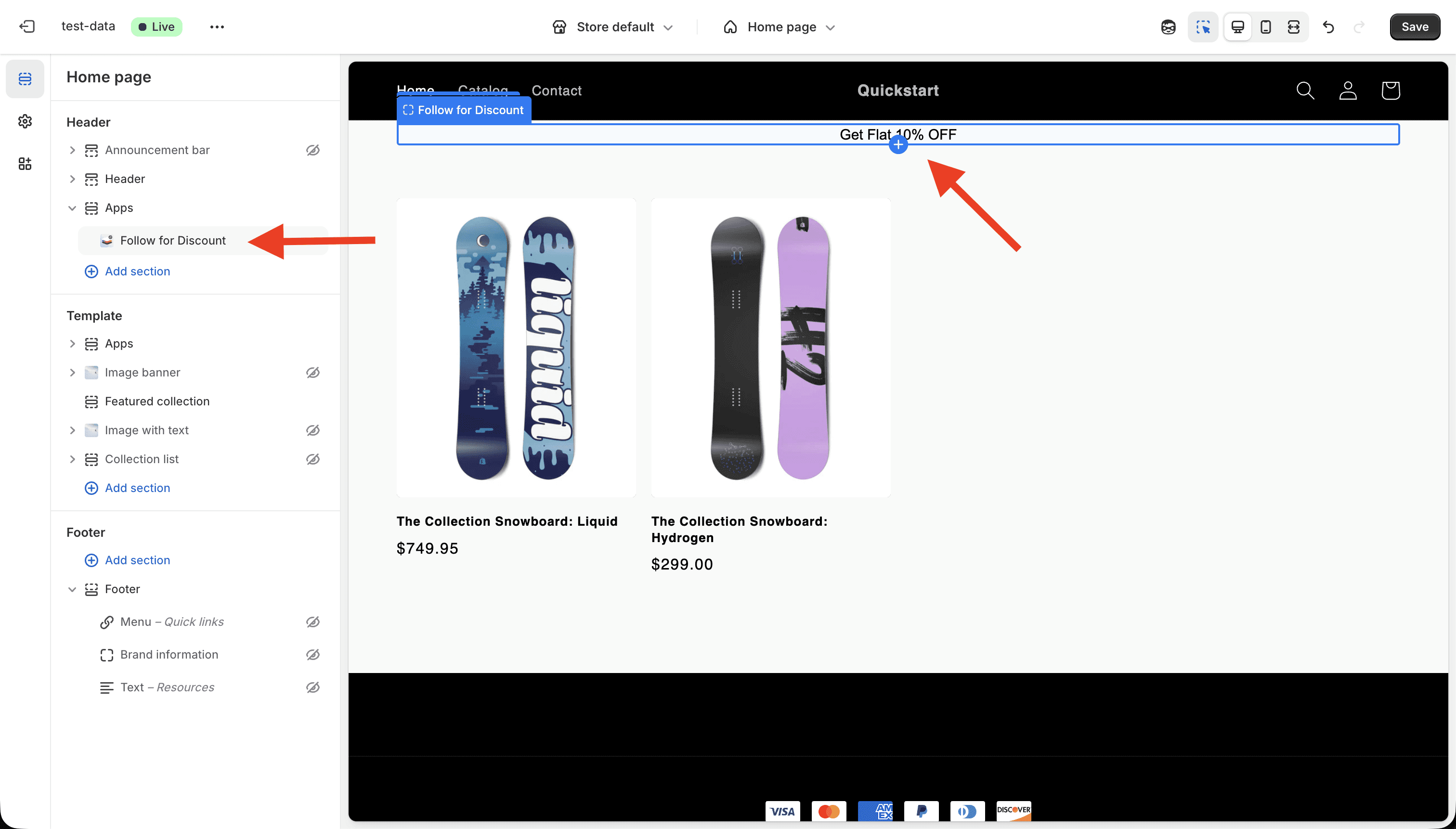
Customize the App Block(Optional)
Optionally, you can change background color & text color of the App Block, to match your store's theme.
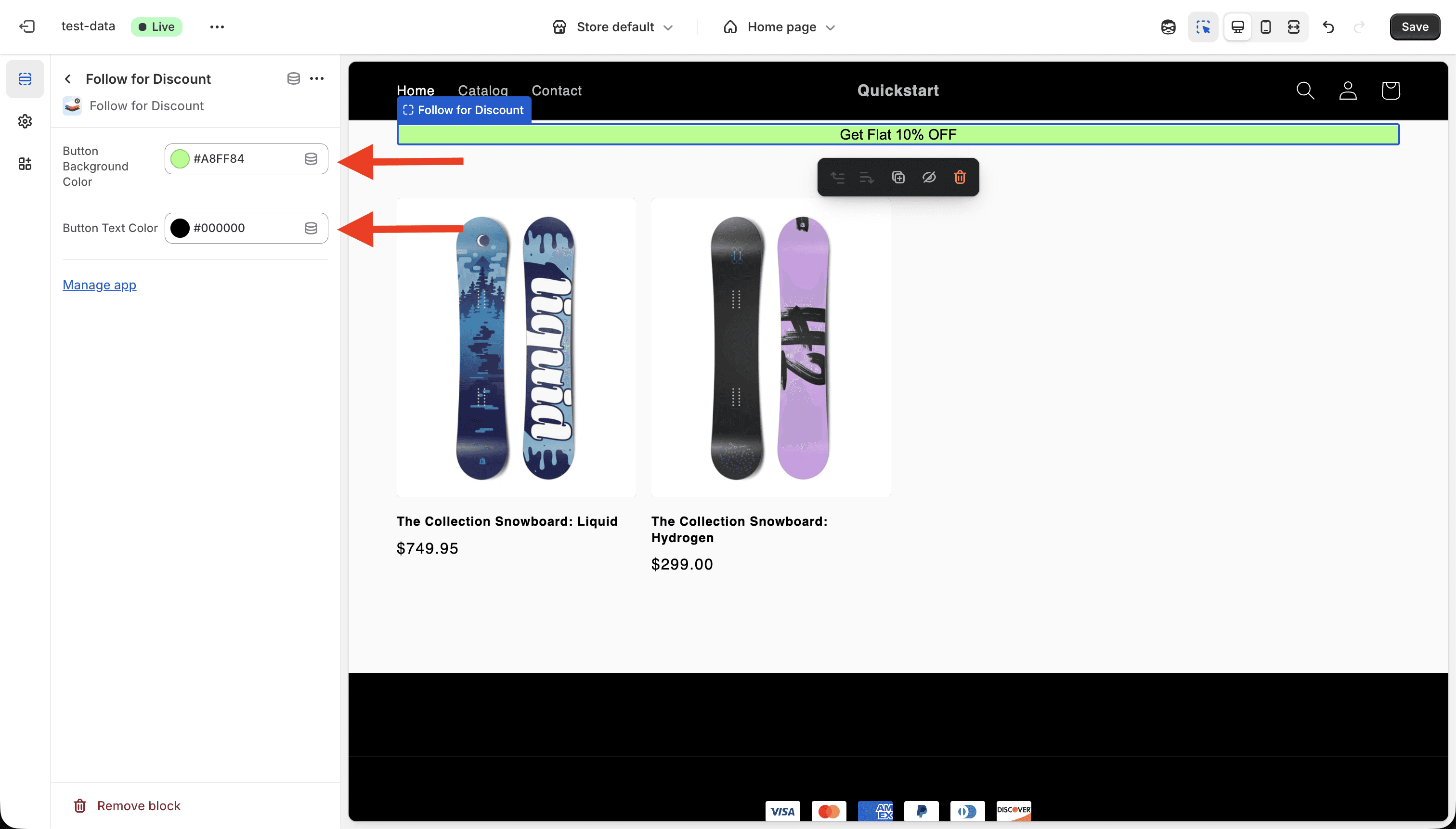
Verify
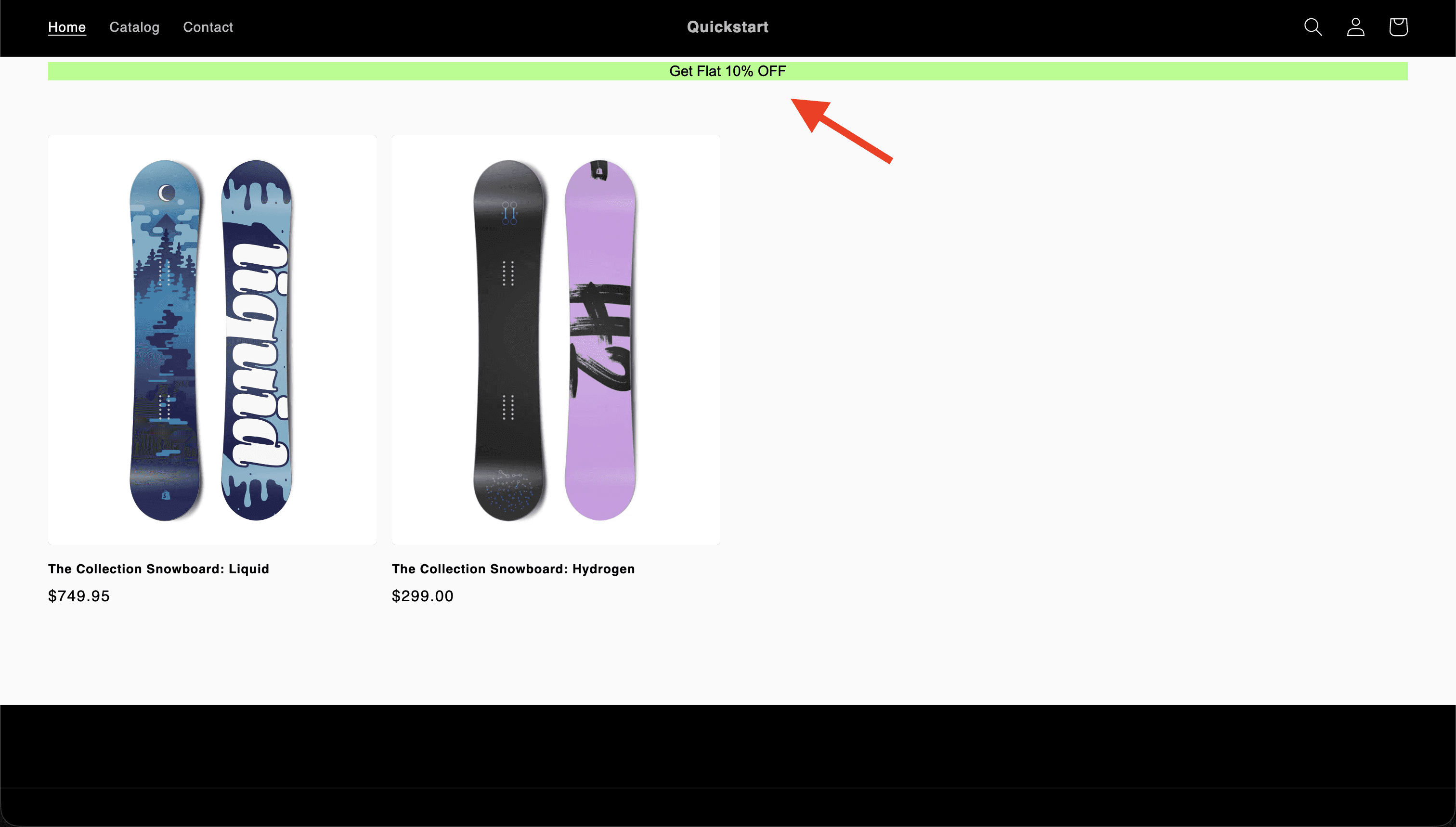
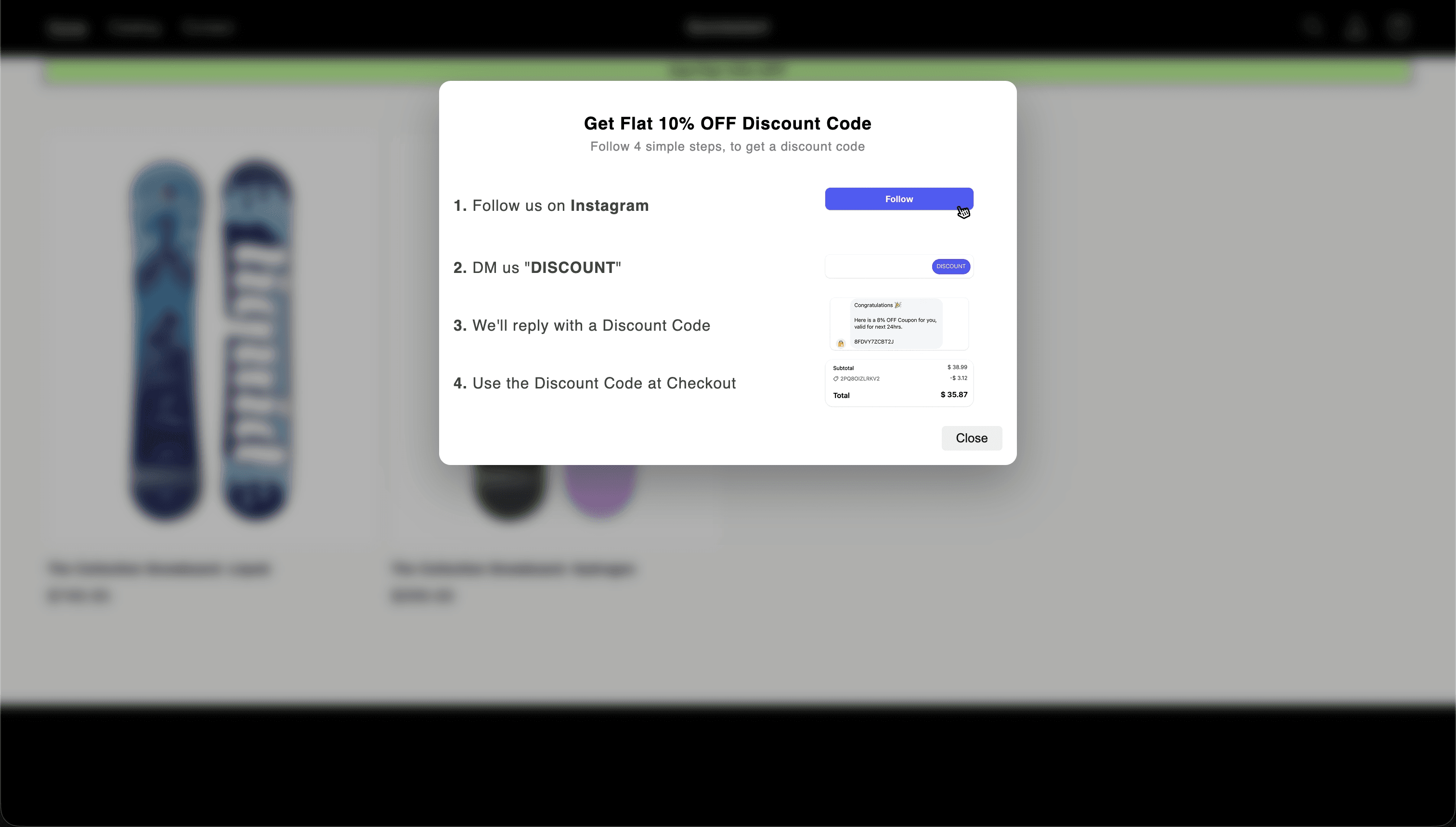
After saving the changes, go to your store. You must be able to see Follow for Discount App Block. Clicking the App Block, opens a pop-up, Guiding how to claim a discount code.
Summary
Once you’ve completed all the steps above, your Follow for Discount app will be fully integrated with your Shopify store. Your customers can now follow your shop, send a simple DM, and instantly receive a discount code — no manual work required.
If you run into any issues during setup, feel free to reach out through the app’s support section. We're here to help!